
Create Your Playinmatch Account
Opening an account takes less than two minutes. We only ask for what we need to verify your identity and process your payments. No long forms, no unnecessary questions, and no hidden steps.
Once you finish the Playinmatch registration, your dashboard opens immediately. You can make your first deposit, check live sports scores, or jump into the games section right away.
Use your own mobile number and accurate personal information. Your account details may be checked during identity verification.
Sign Up
Enter your information to begin creating your account.
Already have an account? Login Here

Playinmatch Registration
Opening an account takes less than two minutes. We only ask for what we need to verify your identity and process your payments. No long forms, no unnecessary questions, and no hidden steps.
Once you finish the Playinmatch registration, your dashboard opens immediately. You can make your first deposit, check live sports scores, or jump into the games section right away.
How to Create Your Account
The sign-up process is built to be fast. You can complete it on your phone or your computer.
- Click the Sign Up button on the homepage.
- Enter your active mobile number.
- Check your messages and enter the OTP (One-Time Password) we send you.
- Create a strong password for your account.
- Agree to the terms and tap Register.
Your account is now active. The dashboard will load automatically, and you are ready to start.

What You Need Before You Start
Keep these three things ready before you open the registration form. It makes the process much faster.
An Active Mobile Number
We use your mobile number as your primary username. It is also how we send OTPs for login and withdrawals. Make sure it is a number you use daily.
A Valid Email Address
This is optional but highly recommended. If you ever lose access to your phone number, your email is the only way we can help you recover the account.
A Strong Password
Pick something you will remember but others cannot guess. Avoid using your name, your birth year, or simple number patterns like 123456.
Why Your Details Must Be Accurate
This is the most important part of the Playinmatch sign-up process. The details you enter today will be checked when you request your first withdrawal.
Your account name must match the name on your bank account or UPI ID. If you register under a nickname or a friend’s name, your withdrawal will fail during the KYC check. We cannot change your core account name after registration, so please type your full legal name exactly as it appears on your ID.

Fixing Common Sign-Up Issues
Most registration errors happen because of small typos or network delays. Here is how to clear them quickly.
OTP Not Arriving
If the code does not show up in your messages, wait sixty seconds. Do not tap the "Resend" button multiple times, as this can confuse the system and lock the OTP feature for a few minutes. Check your spam folder if you chose email verification. Make sure your phone has a strong network signal.
Number Already Registered
If the system tells you your mobile number is already in use, you have an account with us. Go to the login page and use the "Forgot Password" option to regain access. Do not try to open a second account with a different number, as this violates our fair play rules.
Form Not Submitting
Check for accidental spaces before or after your mobile number. Browsers sometimes auto-fill old data with an extra space at the end. Delete the field and type the number manually.
What Happens After You Register?
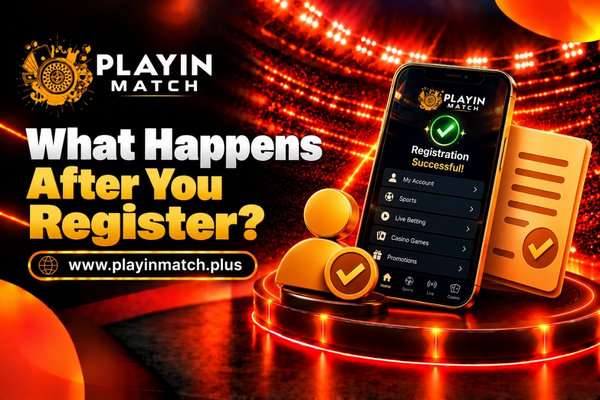
Once your account is open, the main dashboard appears. You will see your wallet balance at the top, which will currently be zero.
To start playing or betting, tap the deposit button. You can add funds instantly using UPI, Paytm, or direct bank transfer. The minimum deposit is kept low so you can test the platform without committing a large amount.
You do not need to upload KYC documents right away. You can deposit, play, and explore the site freely. We will only ask for your ID and address proof when you request your first withdrawal.
Keeping Your Account Safe
Your account holds your real money. Treat it like your bank app.
Never share your password or your OTP with anyone. Our support team will never ask you for these details over chat or phone. If someone claims to be from Playinmatch and asks for your code, block them and report it to us.
Always log out when you finish your session, especially if you are using a shared computer or a friend’s phone.
Registration FAQs
01 Is it free to create a Playinmatch account?
Yes. Registration is completely free. You only need to add money to your wallet when you decide to play or place a bet.
02 Can I register using a virtual or temporary mobile number?
No. We only accept permanent, active mobile numbers. Virtual numbers cannot receive our secure OTPs and will block you from withdrawing your funds later.
03 Do I need to complete KYC during registration?
No. You can skip KYC when you sign up. You only need to upload your ID and address proof right before you make your first withdrawal.
04 Can I change my registered mobile number later?
Changing a primary mobile number requires a manual security check. If you lose your number, contact our support team immediately with your email and account details to start the recovery process.
05 Why was my registration rejected?
Rejections usually happen if you are under 18, if you use a blocked IP address, or if you try to open a duplicate account. If you believe this was a mistake, contact support for a manual review.
06 Can I have more than one Playinmatch account?
No. We strictly allow one account per person. Opening multiple accounts to claim extra welcome bonuses will result in all accounts being closed and funds being frozen.